Authentication
Every /api/v1/* request must carry an Authorization: Bearer <token>
header. Two token formats are accepted.
Monolith JWT
JWTs are issued by the Monolith identity service when a user logs into the web or desktop app. They expire in 7 days, are refreshed transparently by the apps, and are scoped to the authenticated user.
Use a JWT when you’re acting on behalf of a logged-in user from a first-party client (web app, desktop app). For headless integrations, prefer an API key.
monolith_ API keys
Org-minted API keys take the form:
monolith_AbCdEfGhIjKlMnOpQrStUvwx12The prefix monolith_ plus 22 base62 characters. Properties:
- No expiration. Valid until revoked.
- Organization-scoped. A key authenticates as its organization and
may only act on resources owned by that organization. Cross-org and
personal-workspace targets are rejected with
403 API_KEY_ORG_MISMATCH. - Frozen workspaces disable keys. A key stops working immediately when
its workspace is frozen (
401 WORKSPACE_FROZEN) and resumes when the owner re-subscribes to Enterprise. - Self-managing within the org. A key can list, create, and revoke
sibling keys for the same organization via
/api/v1/api-keys— provided the body’sorganizationIdmatches its own.
API keys are organization-equivalent credentials. Treat them like passwords. Rotate immediately on any leak. The plaintext token is returned only at creation time and cannot be retrieved later.
Creating an API key
API keys are created from the Monolith dashboard at
pro.joinmonolith.com . Restricted to the
enterprise tier (max 5 active keys per organization). Free and Creator
orgs receive 403 TIER_LIMIT_REACHED.
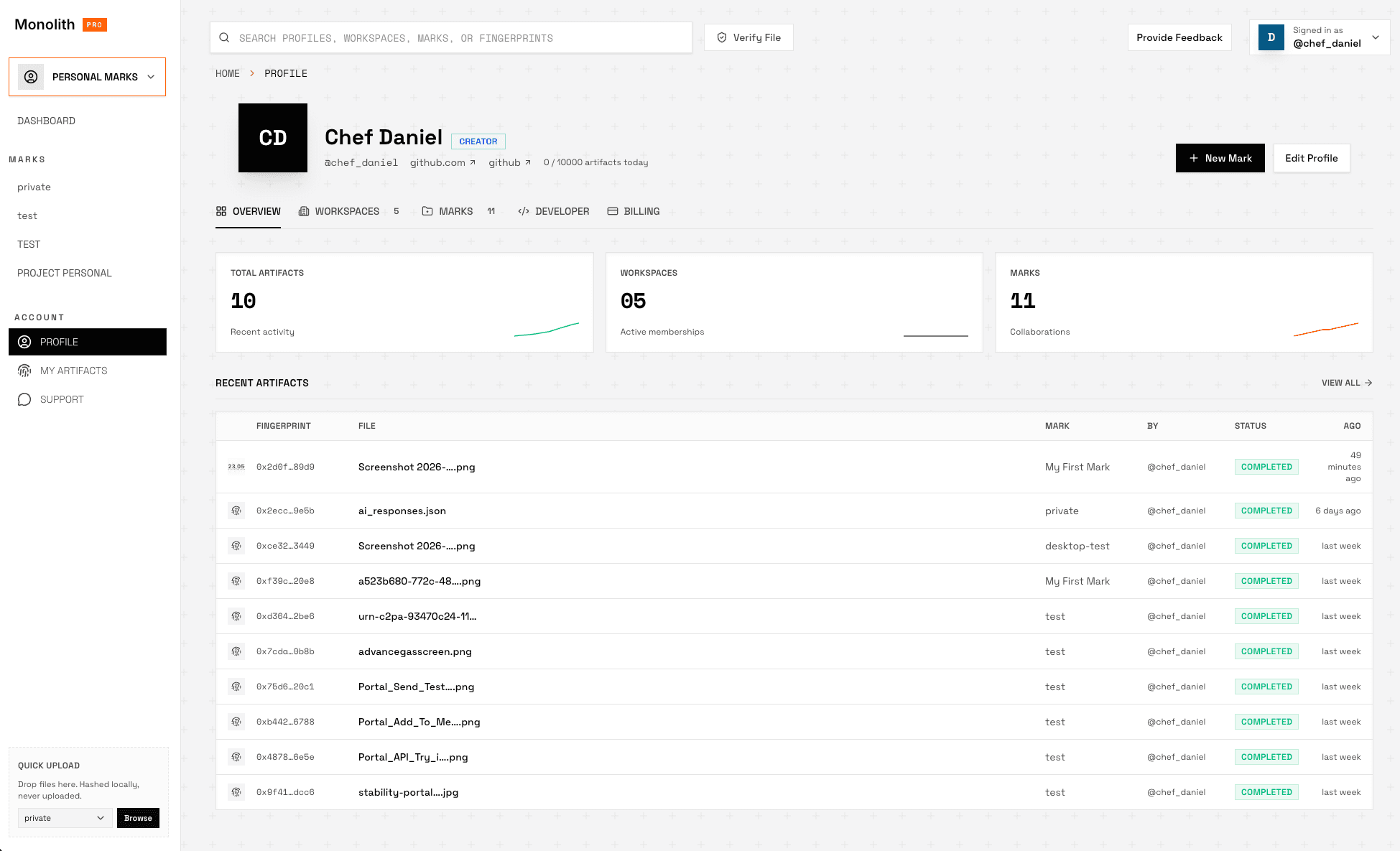
1. Open your profile. Sidebar → Account → Profile.
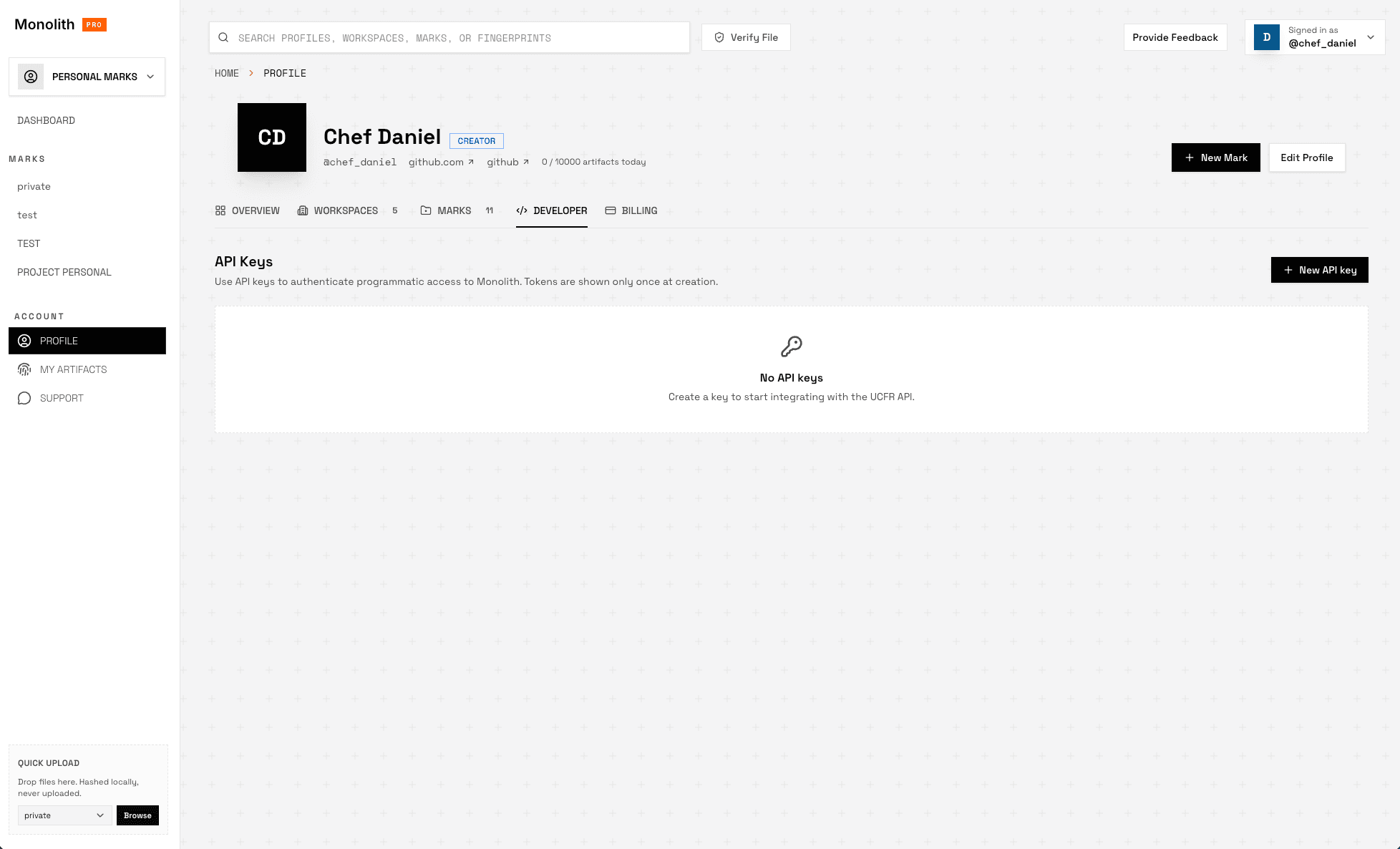
2. Switch to the Developer tab. Click + New API key at the top right.
3. Name the key and confirm. Give it a recognisable name (e.g.
my-cli-key) and click Create key.
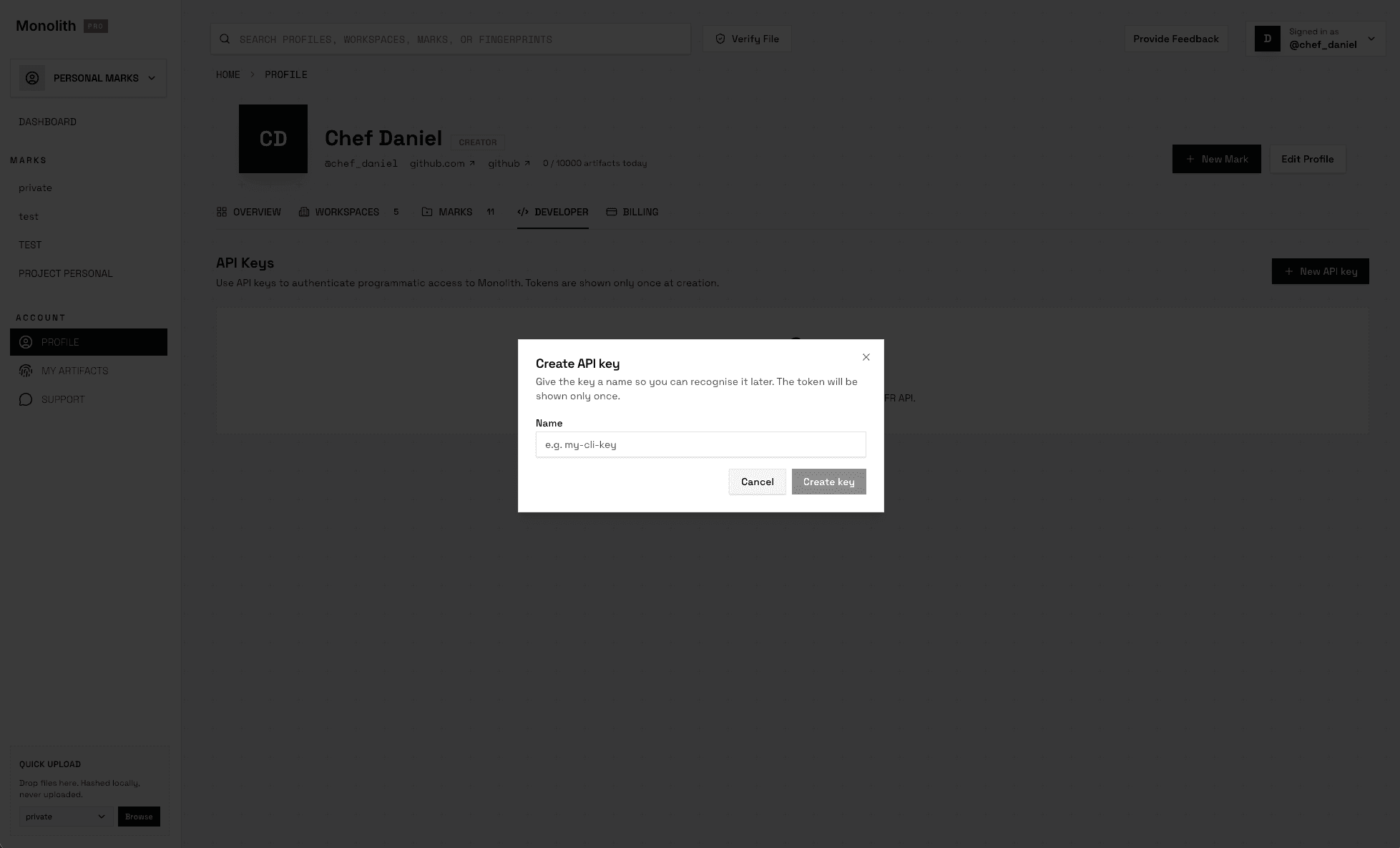
The token is shown only once, immediately after creation. Copy it into your secrets manager before closing the dialog — it cannot be retrieved later. If lost, revoke the key and mint a new one.
After creation, the Developer tab lists each key by name, prefix, and last-4 — never the full token.
Listing keys
GET /api/v1/api-keys?organizationId=<uuid>
Authorization: Bearer monolith_…
Returns all active (non-revoked) keys for the resolved organization. Each item carries:
id,name,prefix,last4,createdAtdisplayKey—monolith_AbCdEfGh…wx12for UIlastUsedAt—nulluntil the key is used
Org resolution: when authenticating with a monolith_* API key, the
organization is derived from the key and the organizationId query
parameter is ignored. JWT callers must supply ?organizationId=<uuid>
(otherwise 400 MISSING_ORGANIZATION_ID).
Revoking a key
DELETE /api/v1/api-keys/{keyId}?organizationId=<uuid>
Authorization: Bearer monolith_…
Returns 204 No Content on success. Revocation is immediate. Subsequent
uses of the revoked key return 401. Keys belonging to a different
organization are not visible to the caller and surface as 404 API key not found. JWT callers must include ?organizationId=<uuid>; API-key
callers omit it (the org is derived from the calling key).
Storage and transmission
- Never put a key in client-side code or URL query strings — use the header.
- Never commit a key to a repository. Treat it like an SSH private key.
- For CI/CD use a secrets manager and inject the key at runtime.
- If you suspect a leak, revoke the key first, then investigate.
Authorization scope
A monolith_ key authorizes the caller to act as its organization:
- Manage sibling API keys for the same organization (full CRUD on
/api/v1/api-keys, body/queryorganizationIdmust match its own) - List Marks owned by the organization or shared with it
- List the calling organization
- Create Artifacts for any Mark the organization has write access to
- Read Artifacts from public Marks, or from private Marks the org belongs to (with author redaction otherwise — see Concepts)
A JWT authorizes the human user across every organization they own or
are a member of. JWT callers must specify organizationId explicitly on
endpoints that need it.
There is no concept of read-only or scoped tokens at this time. If you need a tighter blast radius, mint a separate key per integration and revoke individually.
Other /api/* endpoints
Endpoints outside /api/v1/* (older internal routes) accept only the
JWT form. In particular, /api/organizations/{organizationId}/api-keys
is JWT-only — API keys cannot bootstrap their own management through it.
Don’t rely on those endpoints from third-party integrations — they’re not
part of the versioned public surface.